
Hey Golfers!
We are introducing upgrades to your Club Bag! 🏌️
Starting from the 25th of March, 2026. all Golfers will have the new view of the Club Bag available in the game.
Thanks to your feedback and the variety of suggestions coming from the Golf Rival Community, we’re evolving the way you manage your Golf gear. The new Club Bag offers a cleaner view and new functionalities that make navigating your Clubs and understanding their abilities and differences easier!
Important note: the new Club Bag is available from version 156.
What does the new Golf Bag bring?
View of all of the equipped Clubs and where they are used
Golf Bag Strength
Club Comparison
Club level preview
Locked Clubs view
🏝️ View of all of the equipped Clubs and where they are used
With the new Club Bag, you can see all of the equipped Clubs at a single glance. By tapping on an equipped Club, it highlights the corresponding area on the island, showing you exactly where that Club Type is utilized (e.g., tapping a Sand Wedge highlights the bunkers).
You can easily browse through your Club bag by simply clicking on the Clubs around the island.
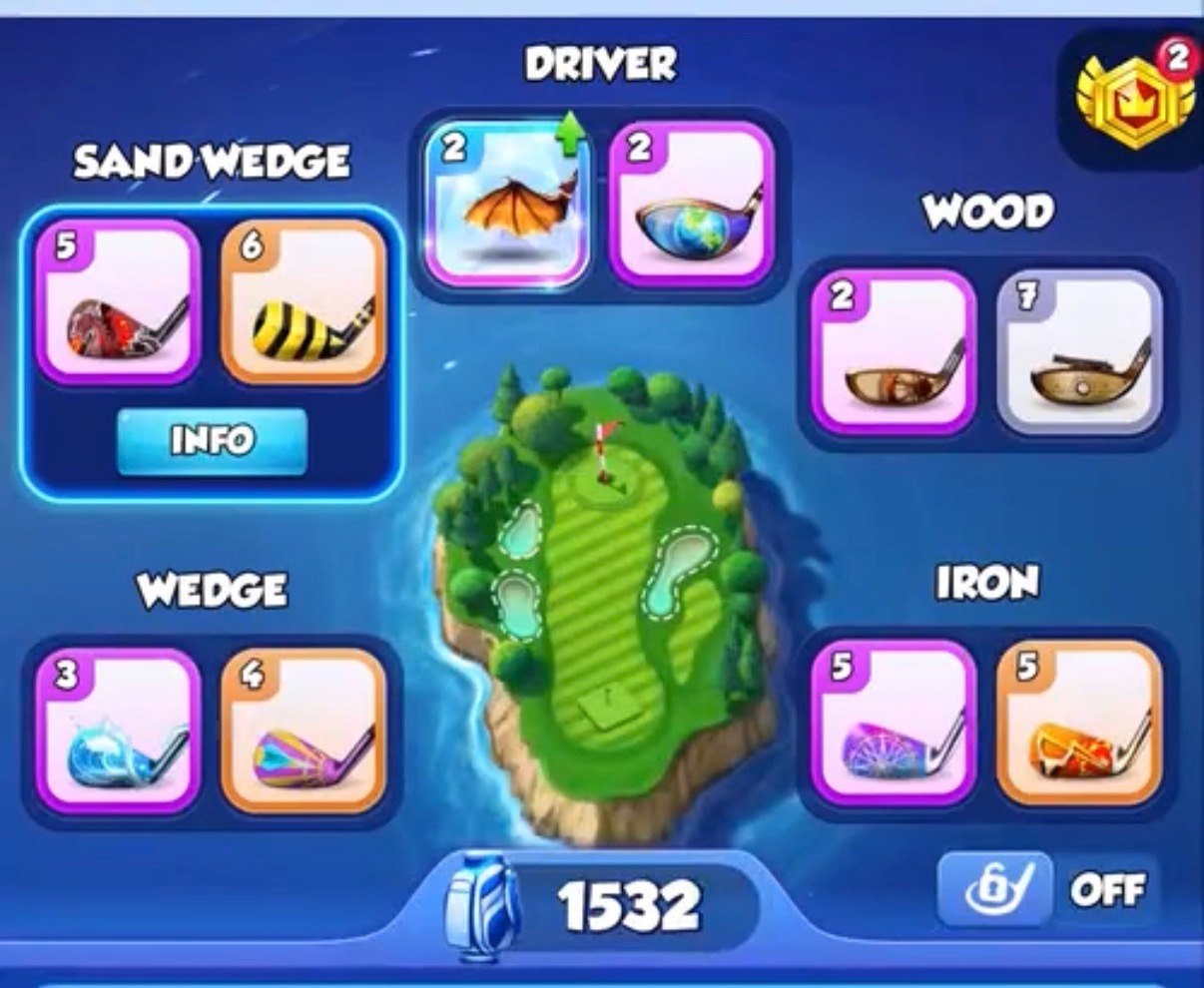
⚡️ Club Bag Strength
The Club Bag Strength helps you pick the best possible Clubs from your gear. It ensures you are always picking the most optimal Clubs and gives you confidence in building your strongest Bag yet. The Club Bag Strength changes based on your choice of the equipped Clubs.
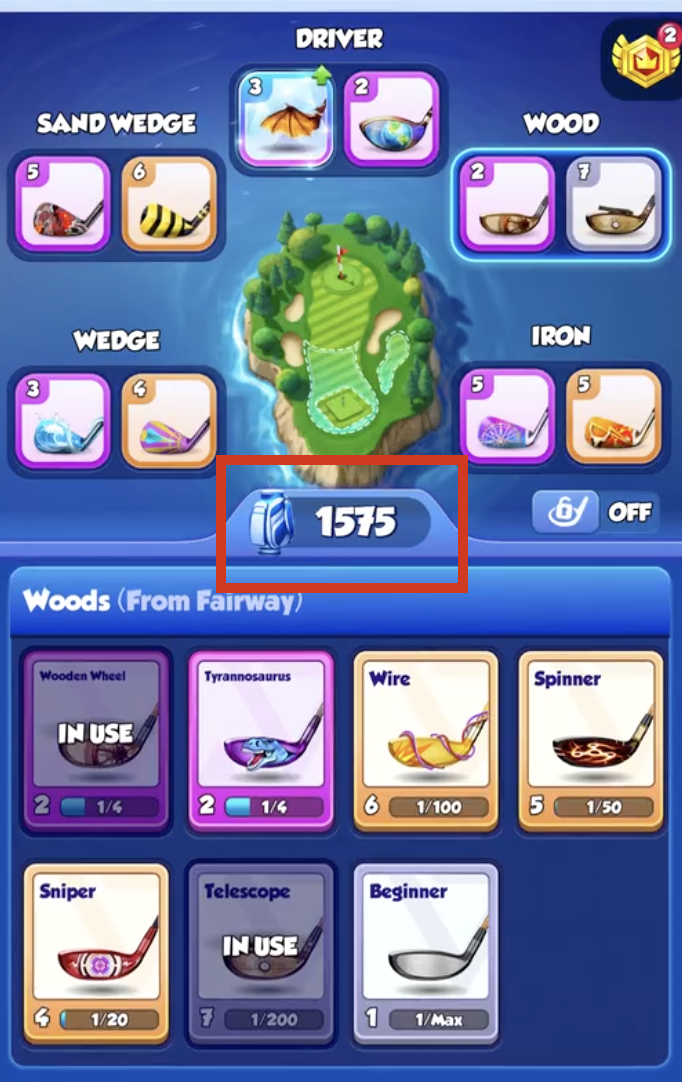
⚖️ Club Comparison
You can now compare Clubs of the same type side-by-side to see exactly which one fits your playstyle. The Club with higher stats is highlighted in green, allowing you to identify the most powerful setup for your Bag.
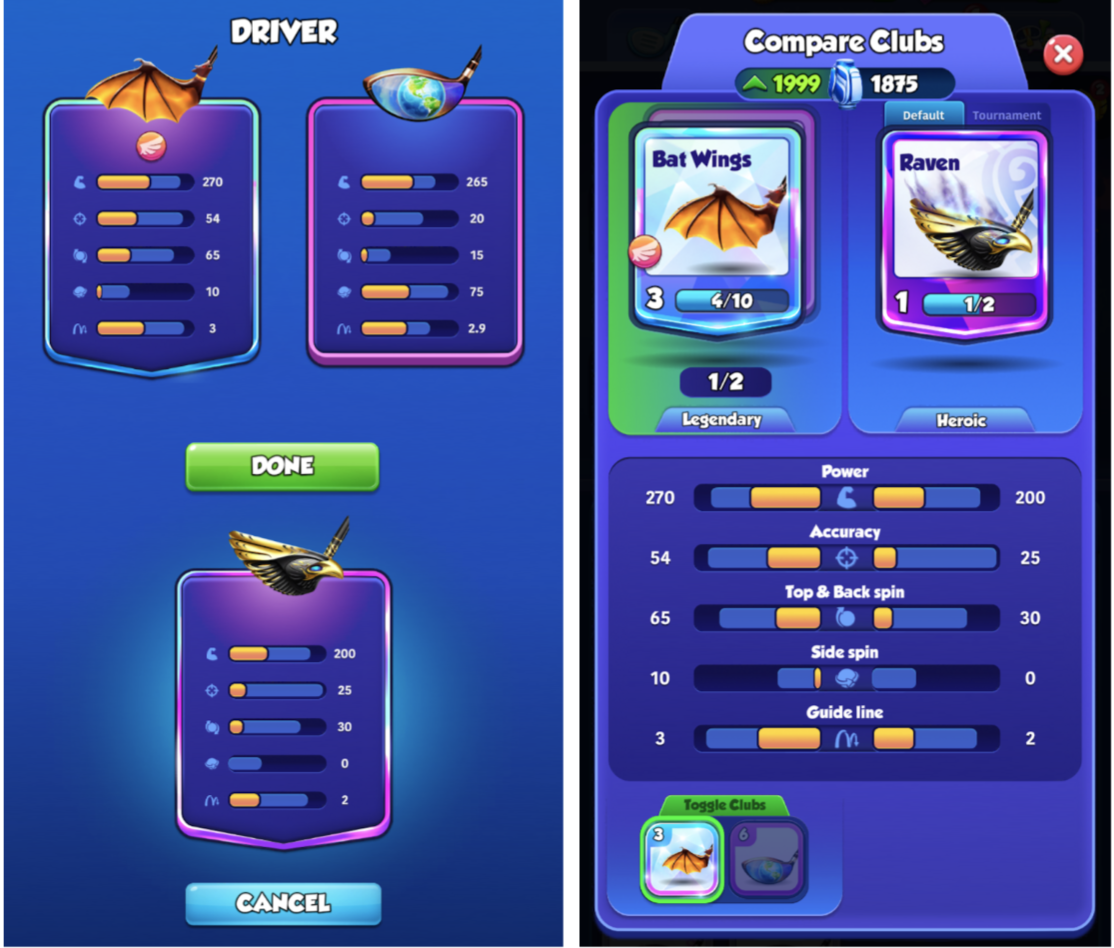
⬆️ Club level preview
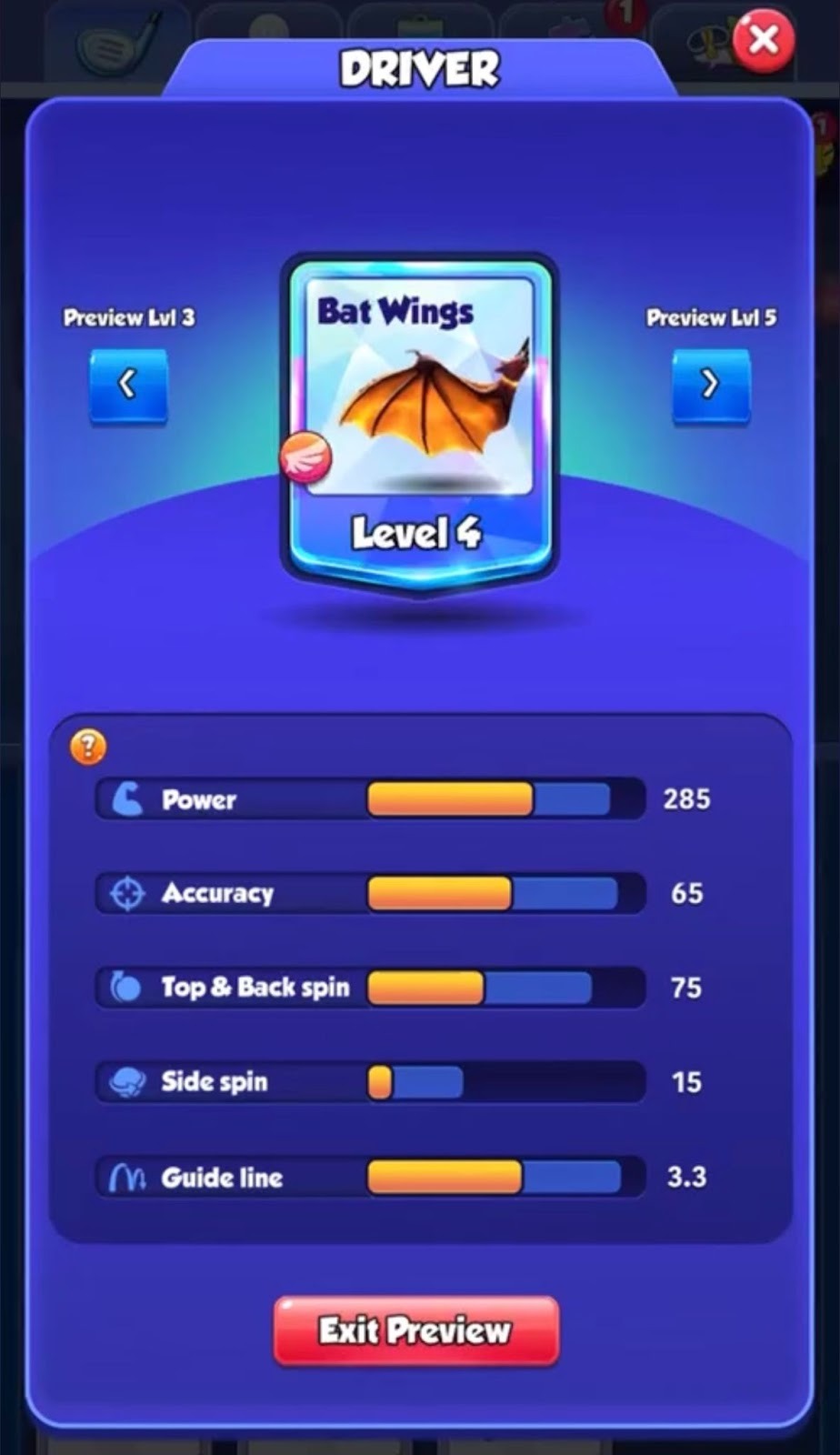
By tapping the “Info” button on a Club, you can now access the Club level preview. This lets you explore all available levels of a Club, higher or lower. You can also compare any level of a Club with your current setup by going to a different Club level and tapping “Compare”.
Explore the abilities of higher levels to make informed and confident upgrade choices for your Clubs.
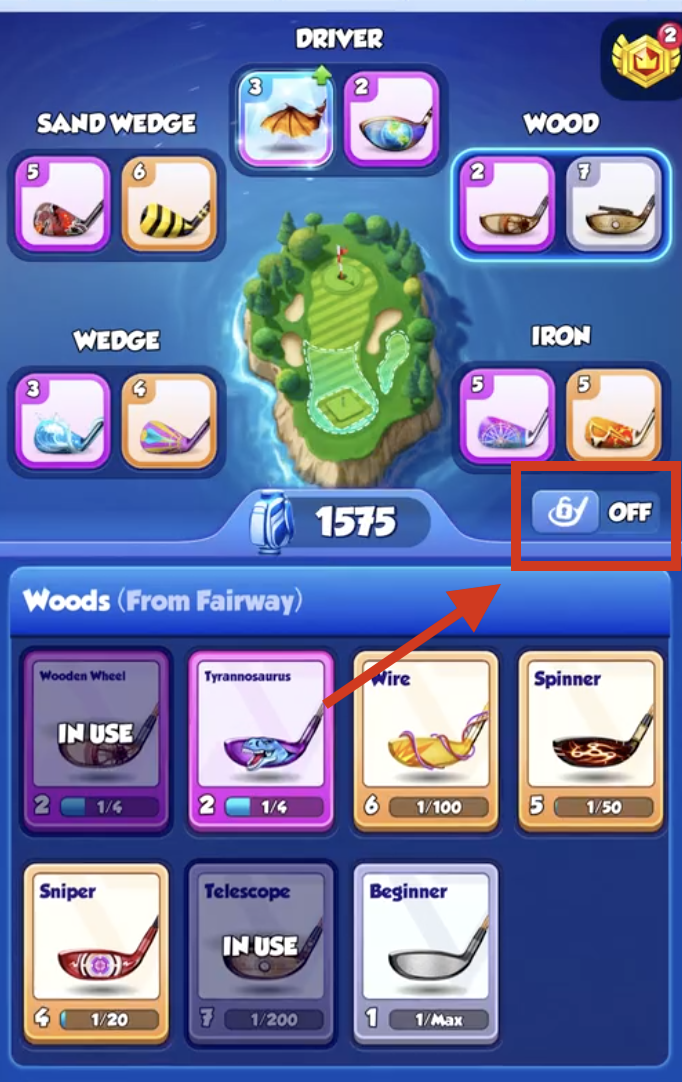
🔒Locked Clubs view
To help you manage your collection, we’ve added a Locked Clubs view. You can switch the toggle on to see which Clubs are yet to be unlocked, or toggle it off for a cleaner, more focused view of your current Golf Bag. The toggle is turned off by default.
Thank you, Golfers, once again, for your continued feedback, which has been the driving force behind the improvements in this update.
Now, head over to your new Golf Bag, optimize your gear, and see you on the course! 🏌️♂️